

You press the power button on your Dyson Supersonic hair dryer and nothing happens. No lights, no motor hum, no cold shot. It is completely dead. You are left wondering if it is the button, the cord, or something deeper inside. If your Dyson hair dryer button is not working, you are not alone. This is one of the most common complaints among long-term users, and while it can feel like a total failure, the root cause might be simpler than you think.
The issue often is not just a faulty button. It could be a tripped GFCI reset plug, a blown thermal fuse, damaged internal wiring, or even a failed control board. Some problems are user-fixable while others require professional repair. This guide walks you through every possible reason your Dyson button is not responding, how to diagnose each issue safely, and what steps to take next.
Check the GFCI Reset Button First

Before assuming the power button is broken, inspect the reset button on the plug. Many users overlook this small but critical safety feature.
What the GFCI Button Does
The ground fault circuit interrupter (GFCI) plug at the end of your Dyson cord cuts power during electrical surges or moisture exposure. If tripped, the entire dryer shuts off even if the power button seems fine.
Signs of a Tripped or Stuck Reset
• No lights when plugged in
• Reset button appears recessed or will not click
• Dryer worked previously then suddenly stopped
Press the button firmly. If it clicks back out, it was tripped. Plug in and test the dryer.
Clean Around the Reset Button
Dirt, lint, or dried product buildup can prevent proper contact.
• Unplug the dryer
• Use a cotton swab dipped in rubbing alcohol
• Gently clean around the button edges
• Press and release several times to free debris
This simple step resolves many cases of apparent button failure.
Replace the GFCI Plug if Damaged
If the reset button will not stay in or feels loose, replace the plug.
- Cut off the old plug
- Strip the wires (black/live, white/neutral, green/ground)
- Wire a new GFCI plug using color-coded terminals
- Insulate connections with heat shrink or electrical tape
- Test with a multimeter before use
Replacement GFCI plugs cost under $10 and restore power when the original is faulty.
Diagnose Power Delivery Issues
If the GFCI is not the problem, test whether electricity reaches the dryer.
Test Multiple Outlets
Plug into a different outlet, preferably one that powers other devices. Rule out faulty wall outlet, tripped circuit breaker, or ungrounded outlet. Dyson requires grounded power. Use a known-working appliance to confirm outlet function.
Inspect for Cord Damage
Check the entire cord for fraying near the plug or handle, kinks or sharp bends, and burn marks or melted areas. Internal wire breaks can mimic button failure, especially if power cuts out at certain angles.
Visual cue: If the dryer works only when the cord is bent a certain way, internal breakage is likely.
Test for Internal Electrical Failures
When external checks fail, internal components may be at fault.
Check Voltage at the Internal Leads
For intermediate users only. This involves disassembly and live voltage testing.
Tools needed:
• Multimeter (set to AC voltage)
• Screwdrivers (Phillips #00)
• Heat-resistant gloves
Steps:
- Unplug the dryer
- Remove the handle (unscrew two screws)
- Peel back shrink-wrap on the two main power wires
- Plug the dryer back in
- Carefully probe the exposed leads with the multimeter
Warning: Never touch metal probes or exposed wires. Work with one hand behind your back.
Results:
• 120V reading (North America): Power is reaching the board, problem is downstream
• No voltage: Issue lies in the cord, GFCI, or outlet
This test confirms whether the power path is intact up to the internal circuitry.
Identify Blown Thermal Fuse Failure

A blown thermal fuse is the most common cause of total power loss, especially after repeated overheating.
Why the Thermal Fuse Blows
The Dyson Supersonic has a 184°C non-resettable thermal fuse near the motor. It permanently breaks the circuit if airflow is blocked (dirty filter), used continuously without cooling, or previous temporary shutdowns were ignored. Once blown, the dryer shows no signs of life.
How to Test the Thermal Fuse
Tools:
• Multimeter (continuity mode)
• Soldering iron (for replacement)
Steps:
- Disassemble front housing (twist counter-clockwise, remove C-clamp)
- Locate the two thermal resistors clamped near the motor
- Disconnect one end of each
- Test for continuity
Results:
• Beep or low resistance: Good
• No beep, OL (open loop): Fuse is blown
Replace with a 184°C thermal fuse (cost: $3–$5).
Replace the Thermal Fuse (Advanced DIY)
- Desolder the failed fuse
- Use pliers as a heat sink on one lead to protect nearby components
- Solder in the new fuse quickly
- Reassemble and test
Success confirmed by multiple DIY repairs restoring full function.
Warning: Do not bypass the fuse. It is a critical safety device.
Assess Button Mechanism Wear
Sometimes the button seems broken but it is just worn.
Normal vs. Faulty Tactile Feedback
Power button should have a distinct click. Cold shot button is designed to be held and is less clicky by design. Users often mistake the cold shot soft press for a defect. This is normal.
Mushy or Unresponsive Button Cover
Over time, the plastic actuator under the button wears down, causing soft mushy feel, inconsistent activation, and need to press harder. While annoying, functionality may still work.
Repair Options
Professional replacement services like Robocare replace the internal cable and button mechanism. DIY replacement requires full disassembly and soldering with high risk of damage. Most users opt for professional repair due to component sensitivity.
Evaluate Electronic Control Board Failure
If power reaches the dryer but nothing responds, the control board may be dead.
Symptoms of Board Failure
No LED indicators, no motor response, burnt smell or visible scorch marks, and voltage present but no output all indicate board failure.
Testing the Board
Use a voltmeter to check input and output terminals. Input matches mains voltage is good. Output zero or unstable means board likely failed.
No User Repair Possible
The board is not repairable, only replaceable. Dyson does not sell standalone boards to consumers. Best option is to send to Dyson’s out-of-warranty repair program for board replacement or unit refurbishment.
Follow Dyson’s Official Repair Guidelines
Dyson advises against user disassembly. Here is what they recommend.
Contact Dyson Support First
Before any DIY attempt, contact Dyson. US: 1-866-693-9766, UK: 0800-298-0298, CA: 1-877-397-6622, AU: 1800 239 766, NZ: 0800 397 667. They will guide you through troubleshooting and offer repair options.
Out-of-Warranty Repair Program
If your dryer is past warranty, ship it to an authorized service center. Technician diagnoses and repairs (fuse, cable, or board). You receive either repaired original unit, refurbished replacement, or discount on a new model. Many users report successful fuse replacements through this program.
Avoid Generic Repair Shops
Most local shops lack Dyson-specific tools, genuine replacement parts, and calibration equipment. Using non-specialists risks further damage or fire hazards.
Prevent Future Button and Power Issues
Avoid repeat failures with simple maintenance habits.
Clean the Filter Every 2–3 Uses
Blocked airflow causes overheating, the leading cause of thermal fuse failure.
- Twist off the filter cap
- Remove lint and hair
- Rinse under water (no soap)
- Dry completely before reattaching
Regular cleaning prevents 80% of preventable failures.
Allow Cooling Between Uses
Do not run the dryer continuously for more than 10–15 minutes. Let it cool to avoid stressing safety systems.
Avoid Cord Stress
Do not wrap tightly around the handle, do not yank from the cord, and store loosely coiled. This prevents internal wire breakage that mimics button failure.
Store in a Dry Place
Moisture damages the GFCI plug and electronics. Keep away from sinks and showers.
Know When to Repair vs. Replace
Not every failure warrants repair. Here is how to decide.
Repair If:
• Thermal fuse is blown (common, fixable)
• GFCI plug is tripped or dirty
• Internal cable is frayed (replaceable)
• Within Dyson’s repair eligibility window
Replace If:
• Control board is dead and repair cost exceeds 60% of new unit
• Multiple components failed
• Dryer is over 5 years old with recurring issues
Many users find the refurbished unit option from Dyson more reliable than third-party fixes.
Frequently Asked Questions About Dyson Hair Dryer Button Issues
Why is my Dyson hair dryer completely dead with no lights?
Complete power loss with no lights typically indicates a blown thermal fuse, failed control board, or tripped GFCI reset button. Start by checking the GFCI reset plug, then test the outlet. If those are fine, internal component failure is likely.
Can I fix a Dyson hair dryer button that will not click?
If the button feels mushy but still functions, no repair is needed as this is normal wear. If the button is completely non-responsive, the issue is likely internal. Professional repair or Dyson’s service program is recommended.
How much does Dyson charge for button repair?
Dyson does not publish specific repair costs. Through their out-of-warranty program, you receive either a repaired unit, refurbished replacement, or discount on a new model. Third-party repairs for thermal fuse replacement cost approximately $3–$5 for parts.
Does cleaning the filter really prevent button failure?
Yes. Blocked airflow causes overheating, which is the leading cause of thermal fuse failure. Cleaning the filter every 2–3 uses prevents this and significantly extends the dryer’s lifespan.
Is it worth repairing an older Dyson Supersonic?
If the dryer is over 5 years old with multiple failures, replacement is often more cost-effective. If only the thermal fuse is blown (common), repair is worthwhile. Contact Dyson for an estimate before deciding.
Can I replace the GFCI plug myself?
Yes. Replacement GFCI plugs cost under $10. Cut off the old plug, strip the wires, wire the new plug by color code, and test with a multimeter before use. This resolves many sudden power loss issues.
Key Takeaways for Fixing Your Dyson Button
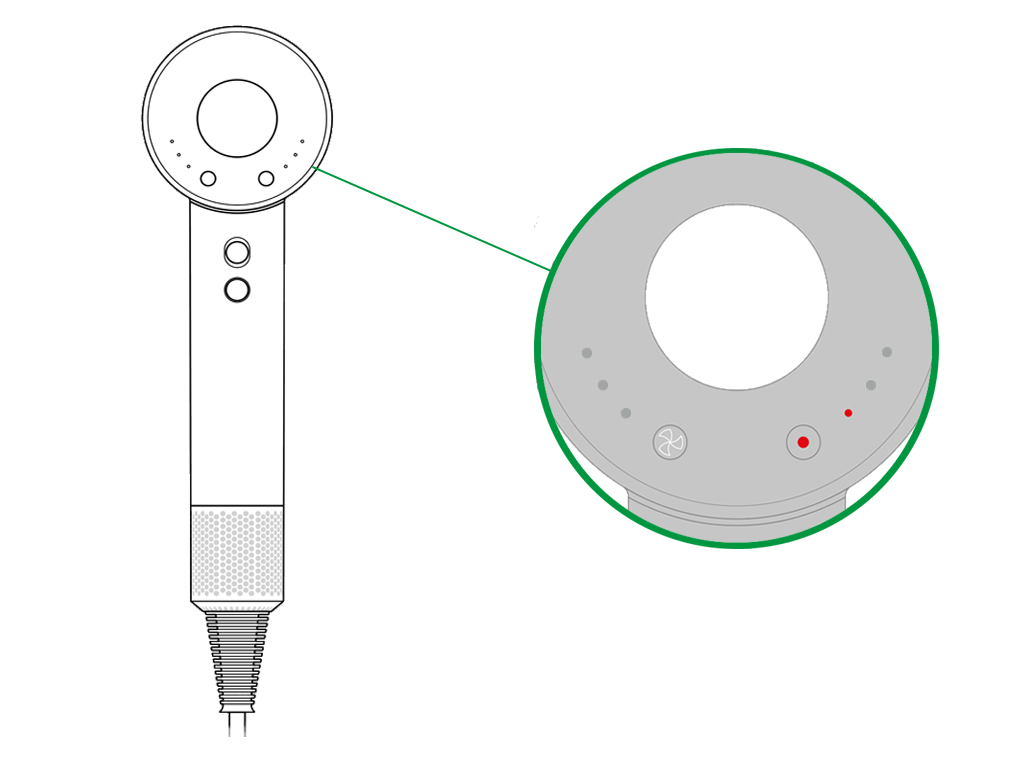
A Dyson hair dryer button not working is rarely just a button issue. Most often, it is a safety system response to overheating or electrical fault. Start simple by cleaning the GFCI reset button and testing different outlets. Escalate to internal diagnostics only if needed.
The thermal fuse is the most common culprit for complete power loss. This 184°C safety device blows permanently when the dryer overheats, and replacement costs only a few dollars. Advanced users can replace it DIY, but professional service is safer.
Regular maintenance prevents most failures. Clean the filter every 2–3 uses, allow cooling between sessions, and store in a dry place. These simple habits extend your dryer’s life significantly.
When internal components fail, trust the experts. Dyson’s repair network offers the safest, most reliable path back to full function.


