

Your Dyson Supersonic hair dryer worked perfectly yesterday, but now it refuses to turn on after you cleaned the filter. This frustrating scenario happens to thousands of users worldwide, and while filter maintenance is essential, something went wrong during the process. The good news is that your dryer is likely not permanently broken. In most cases, the issue stems from improper reassembly, hidden moisture, or blockages that were exposed during cleaning. This guide walks you through every diagnostic step, from checking filter installation to testing internal components, so you can restore your dryer or determine if professional repair is needed.
Confirm Filter Reinstallation
Before assuming a serious malfunction, verify that the filter was reinstalled correctly. This is the most common cause of post-cleaning failure and the easiest to fix.
Filter Must Be Fully Seated
The Dyson Supersonic filter cage must click into place with a clockwise twist. A loose or misaligned filter triggers safety sensors that prevent the dryer from operating. Check that the filter ridges align flush with the handle with no visible gaps.
Never Operate Without the Filter
Running the dryer briefly without the filter, even for testing, can lock out the system as a safety measure. Always reinstall the filter before attempting to power on.
Dry the Filter Completely
If you washed the filter with water, it requires at least 24 hours of air drying. Residual moisture causes short circuits, triggers false thermal readings, and leads to intermittent failure. Place the filter in a warm, dry area overnight rather than using a hair dryer or microwave.
Decode Flashing Light Patterns
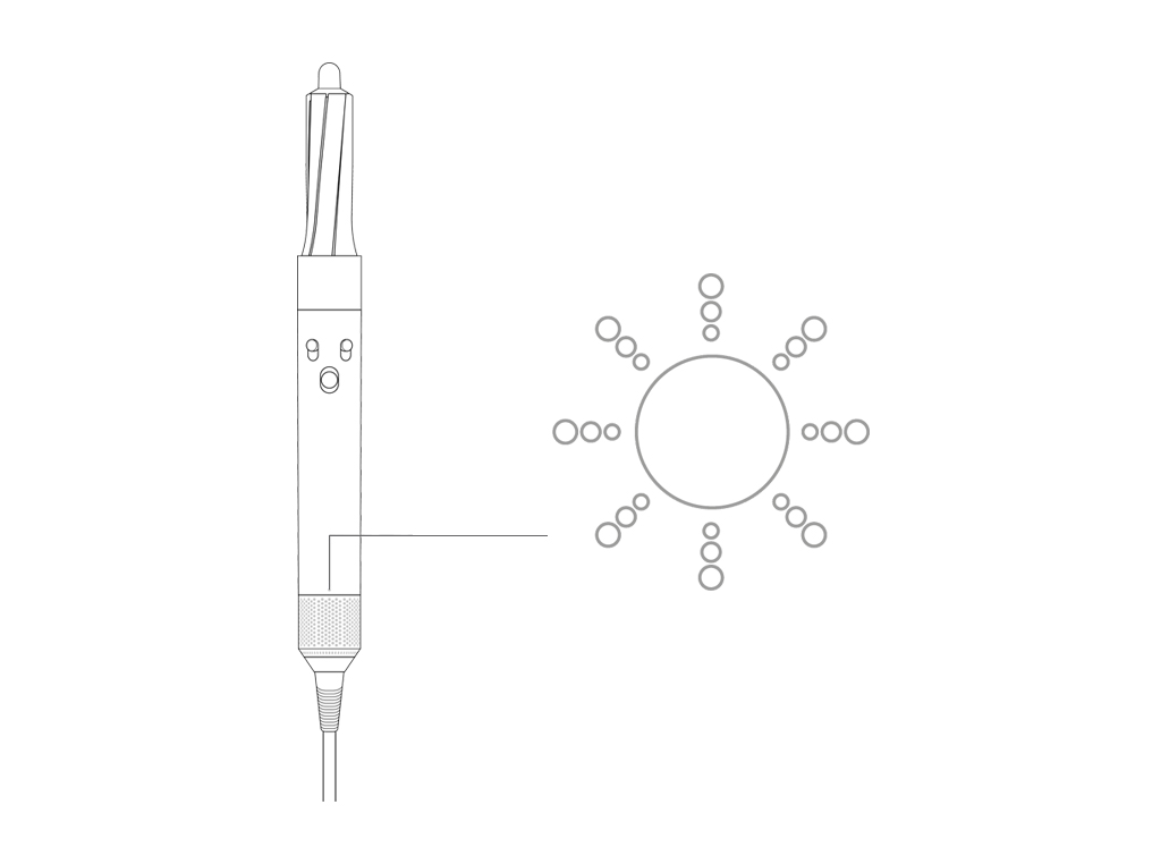
Dyson officially documents only three flashing white lights as a thermal protection warning, but users consistently report one or two flashes after filter cleaning. These undocumented patterns reveal deeper issues.
One or Two Flashing White Lights
One or two white flashes indicate motor failure, PCB fault, or an open thermal resistor. This pattern appears even on brand-new units, suggesting manufacturing defects or component stress from cleaning. The issue is not officially recognized by Dyson support but appears frequently in repair forums.
Three Flashing White Lights
Three flashes mean thermal protection has activated. Unplug the dryer and let it cool for at least 30 minutes before retrying. This often recurs if airflow remains restricted.
No Lights at All
No lights combined with no sound points to a blown thermal fuse, open circuit, or power board failure. Test the outlet with another device first to rule out external power issues.
Clean Beyond the Filter
Filter cleaning alone rarely solves post-maintenance failures. Hair spray residue, oils, and fine debris clog areas that standard cleaning tools cannot reach.
Inspect the Stainless Steel Mesh
Behind the removable filter cover lies a micro-fine stainless steel mesh. Aerosol products and styling residue accumulate in these microscopic pores, restricting airflow and triggering overheating protection even when the filter appears clean. Soak the mesh in warm water with mild detergent for 10 to 15 minutes, then gently scrub with a soft toothbrush. Rinse thoroughly and air dry overnight before reinstalling.
Check the Motor for Hair Jam
Hair can bypass the filter and enter the fan housing in the handle, especially if the filter was removed during cleaning. Use a T6 Torx screwdriver to open the handle, shine a flashlight into the motor chamber, and look for entangled hair. Remove any debris with tweezers or low-pressure compressed air. One user reported their dryer powered on immediately after clearing a hair jam with compressed air.
Diagnose Thermal Protection Issues
The Dyson Supersonic has multiple thermal safety systems that can shut down the dryer even when the exterior feels cool.
Test the Thermal Resistors
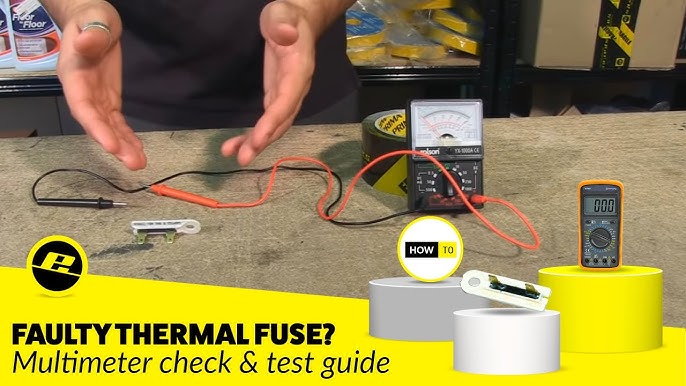
Two thermal resistors near the motor can fail as an open circuit, preventing the dryer from powering on. Testing requires a multimeter and disassembly. Normal resistance reads approximately 100kΩ, while failed resistors show infinite resistance. Replacement NTC 100kΩ resistors cost roughly £2 to £5 but require soldering skills.
Allow for Full Cool-Down Reset
Internal sensors may remain in thermal lockout mode even after the exterior cools. Unplug the dryer for 30 to 60 minutes, try a different outlet, and attempt to power on without attachments attached.
Check for Electrical Failures

If the dryer still refuses to start after the above steps, the issue is likely electrical rather than mechanical.
Blown Internal Fuse
Older models like the HD01 contain a thermal fuse that blows after repeated overheating. Symptoms include no power, no lights, and often a preceding buzzing or clicking sound. The fuse is not user-replaceable due to the sealed design and requires professional repair or full PCB replacement.
Power Board Failure
The power board regulates mains voltage to the motor and heater. If damaged, no electricity reaches internal components despite proper filter installation and button function. Diagnosis requires multimeter testing to confirm 120V input with no output, indicating board replacement is necessary.
Verify Handle Reassembly
Opening the handle during cleaning can cause mechanical misalignment that prevents proper operation.
On/Off Switch Misalignment
The power and cool-shot buttons sit in a fragile plastic housing that can dislodge during disassembly. Signs include needing to press the button at a specific angle, brief operation followed by cutoff, or a loose button feel. Open the handle and reseat or re-glue the switch housing using non-conductive adhesive.
Motor Plug Disconnection
The motor connects via a push-in electrical connector that may not seat fully during reassembly. Locate the white plug near the motor, unplug it, and firmly reseat it until it clicks into place with slight resistance.
Repair vs. Replace Decision Guide
Once you diagnose the specific issue, decide whether repair makes economic sense.
| Repair Option | Cost (US) | Difficulty | Warranty |
|---|---|---|---|
| Dyson Official Repair | $100–$180 | Low | 12 months |
| DIY Component Fix | $5–$90 (parts) | High | None |
| Third-Party Technician | $75–$150 | Medium | Varies |
Consider replacement if the unit is over three years old, repair costs exceed 30% of a new unit price, or failures recur despite proper maintenance. Refurbished Dyson Supersonic HD01 units sometimes sell for as little as $80 to $90, making expensive repairs hard to justify.
Prevent Future Failures
Regular maintenance prevents the issues that lead to post-cleaning failures.
Clean the filter every one to two months and deep clean the stainless steel mesh every six months by soaking in warm, soapy water and allowing complete drying. Avoid using aerosol hair products while drying, as residue clogs the mesh over time. Store the dryer upright or in a travel case to prevent dust accumulation in vents and intake areas.
Frequently Asked Questions About Dyson Hair Dryer Not Working After Cleaning Filter
Why does my Dyson hair dryer not turn on after cleaning the filter?
Improper filter reassembly, residual moisture in the filter, or exposing hidden blockages during cleaning can prevent the dryer from powering on. Always ensure the filter is fully seated, completely dry, and check for debris in the motor housing.
What do two flashing lights mean on a Dyson hair dryer?
Two flashing white lights indicate motor, heating element, or PCB faults. This pattern is not officially documented by Dyson but is frequently reported in user forums. It typically requires professional repair or component replacement.
Can a wet filter damage my Dyson hair dryer?
Yes. A damp filter causes short circuits, triggers false thermal readings, and can lock out the dryer. Always air dry the filter for at least 24 hours before reinstalling it.
How do I reset my Dyson hair dryer after overheating?
Unplug the dryer and let it rest for 30 to 60 minutes to allow thermal sensors to reset. Try a different outlet to rule out GFCI issues, then attempt to power on without attachments connected.
Is it worth repairing a Dyson hair dryer that won’t turn on?
If the unit is under warranty, contact Dyson for free repair. For out-of-warranty units, compare repair costs against the price of a new or refurbished model. Repairs exceeding 30% of replacement cost are generally not economical.
Can I fix my Dyson hair dryer myself?
Minor issues like filter reinstallation and mesh cleaning are DIY-friendly. However, internal electrical repairs involving circuit boards, thermal resistors, or motor replacement require specialized tools, soldering skills, and void the warranty if the unit is still covered.
Key Takeaways for Fixing Your Dyson Hair Dryer After Filter Cleaning
Start with the simplest solutions first: verify the filter is fully seated and completely dry, perform a 30-minute power reset, and test with a different outlet. If those steps fail, clean the stainless steel mesh and check for hair jams in the motor housing. For electrical issues like thermal resistor failure or power board malfunction, weigh repair costs against replacement. Regular filter maintenance every one to two months, combined with biannual deep cleaning of the mesh, prevents most post-cleaning failures and extends your dryer’s lifespan significantly.


