
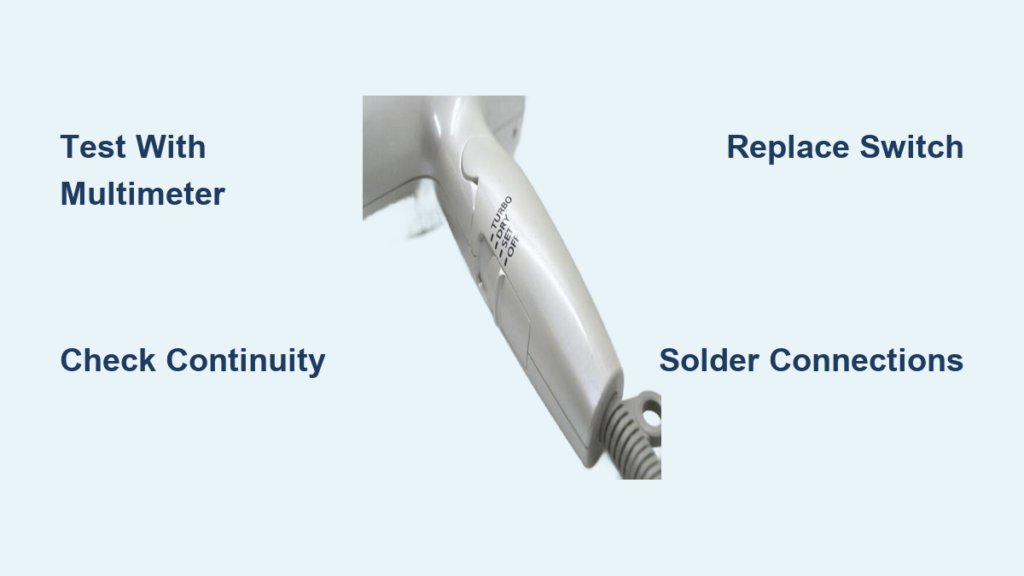
Is your hair dryer completely dead or only working on one setting? A faulty switch is one of the most common reasons for failure, and it is often an easy fix. If your dryer shows no power, operates intermittently, or only runs the fan or heat, the issue likely lies in the switch assembly inside the handle. This guide walks you through diagnosing, testing, and replacing a broken hair dryer switch with confidence, even if you are new to appliance repair.
You will learn how to safely open your dryer, use a multimeter to pinpoint the problem, and replace the switch using basic tools. With replacement parts costing as little as three dollars, this repair can save you from buying a new dryer and keep a functional appliance out of a landfill.
Identify Switch Failure Symptoms
Before opening the dryer, confirm the issue matches a failing switch. These signs point directly to switch damage.
No Power or Intermittent Operation
If your dryer will not turn on at all, or only works when you wiggle the switch or cord, the internal contacts may be worn or broken. Since the switch carries high current, especially in the heater circuit, repeated use causes arcing and contact degradation over time.
• No lights, no fan, no heat equals a likely open circuit in the switch or power path
• Works only when jiggled indicates loose or pitted internal contacts
Only One Speed or Heat Setting Works
Many dryers have dual switches: one for fan speed and another for heating elements. If the fan runs but no heat appears, the heater switch may have failed. If low speed does not work but high does, the diode bypass circuit may be stuck open. This selective failure often means only part of the multi-position switch has failed.
Loose, Stiff, or Gritty Switch Knob
A physical clue: if the switch feels wobbly, mushy, or hard to move, the internal actuator may be cracked or misaligned. This can prevent proper contact engagement even if the electrical components are intact.
Note: Always rule out other causes first, like a damaged power cord or blown thermal fuse, before replacing the switch.
Open the Hair Dryer Safely

To access the switch, you must disassemble the handle. Do it right to avoid breaking clips or wires.
Unplug and Prepare Workspace
• Unplug the dryer and never work on live appliances
• Lay out a clean towel or mat to protect internal parts
• Use a small container to store screws safely
Remove Handle Screws
Most models hide two screws under rubber grips or labels on the handle. Carefully peel back the label or grip using a flat tool. Use a Phillips or Torx screwdriver to remove the screws and set them aside safely.
Separate the Housing
Insert a thin flathead screwdriver into the seam between the two halves. Gently twist to release plastic clips and do not force it. Work your way around the handle until both halves come apart. Be mindful of internal wires connecting the switch, motor, and heating elements.
Caution: Clips are fragile. Break one, and the reassembly may be loose. If stuck, check for hidden screws or adhesive.
Test the Switch with a Multimeter

Once open, use a multimeter to confirm the switch is faulty. This avoids unnecessary replacement.
Set Multimeter to Continuity or Ohms
Turn the dial to continuity beep mode or two hundred ohm resistance. Touch probe tips together to verify the meter works before testing.
Disconnect Wires from Switch
Carefully desolder or unclip wires connected to the switch. Label each wire, such as black equals common and yellow equals fan, to avoid confusion during reassembly. Keep terminals clean and undamaged.
Check Each Switch Position
Test across the appropriate terminals while toggling the switch.
| Position | Expected Result |
|---|---|
| Off | No beep or infinite resistance |
| Low Speed | Beep between common and low-speed contact |
| High Speed | Beep between common and high-speed contact |
| Heat On | Beep across heater switch terminals |
No continuity in active positions means a dead switch. An intermittent beep when wiggling indicates worn contacts and confirms the switch needs replacement.
Pro Tip: If the switch works sometimes, try actuating it rapidly during the test. Intermittent contact confirms internal wear and validates replacement.
Rule Out Other Common Failures
A faulty switch is not the only cause of no power. Test these components first before replacing the switch.
Power Cord Continuity
Disconnect the cord from internal terminals. Test each conductor from plug end to terminal end. No beep means a broken wire, especially near the plug or handle bend. Replace the entire cord if one strand is broken.
Thermal Fuse or Thermostat
The thermal fuse is located near the heating element and acts as a one-time safety cutoff. Test for continuity: no beep means a blown fuse. A blown fuse cannot be reset and must be replaced.
Heater Element Resistance
Measure resistance across each heating coil. Normal range falls between twenty-five and one hundred ohms, depending on wattage. An open loop reading indicates a burnt-out element. Replace the heater assembly if damaged.
Fan Motor and Diodes
Fan motor resistance should measure between ten and fifty ohms. Test oneN4007 diodes using diode test function. Forward bias should show point five to point seven volts. Reverse bias should show open loop. A failed diode means no low speed or reduced voltage.
Quick Check: If the fan runs but no heat appears, focus on the heater switch, fuse, or elements, not the fan switch.
Replace the Faulty Switch
If testing confirms a bad switch, replacement is the best fix. Cleaning rarely works on sealed units.
Choose the Right Replacement
Match these specifications exactly.
• Voltage rating: 125V or 250V AC
• Current rating: 10A or 15A, never lower
• Pole configuration: SPDT, DPDT, or multi-position slider
• Terminal type and spacing: must fit your existing wiring
Take the old switch to an electronics store or search online using your dryer model number to find an exact match.
Desolder the Old Switch
Heat each terminal with a soldering iron. Use a desoldering pump or wick to remove solder. Gently pull wires free and do not yank them. Remove the switch from the housing carefully.
Warning: Work in a well-ventilated area and avoid melting nearby plastic components.
Install the New Switch
Insert the new switch into the housing. Solder wires back to the correct terminals: black common live wire goes to the common terminal, yellow fan wire goes to the fan switch contact, and red heater wires go to the heater switch contact. Double-check all connections because miswiring can cause shorts.
Pro Tip: Use heat-shrink tubing on solder joints for extra insulation and durability.
Reassemble and Test the Dryer
Putting it back together safely is as important as the repair itself.
Secure Internal Components
Ensure no loose wires or solder bridges exist. Confirm the fan spins freely and is not obstructed. Align both housing halves carefully before closing.
Snap and Screw the Shell
Press the two halves together until clips engage. Reinsert screws and tighten gently because over-tightening cracks plastic. Replace rubber grips or labels if they were removed.
Final Power Test
Plug in the dryer and turn on both low and high settings. Verify that airflow starts immediately, heat builds within seconds, switching between modes is smooth, and no buzzing, sparks, or burning smell occurs.
Never test an open dryer because exposed components pose shock and fire risks.
Prevent Future Switch Failures
Extend the life of your repair with smart usage habits.
• Avoid dropping or rough handling the dryer, as impact can crack the switch housing or dislodge contacts
• Do not overheat the dryer; let the fan run after heating to cool internal parts
• Unplug when not in use to reduce surge damage and prevent accidental activation
• Use a GFI outlet to protect against ground faults, which are common in bathrooms
When to Replace the Dryer Instead
Not every dryer is worth fixing. Consider a new unit if multiple components have failed, no replacement parts are available, you lack soldering tools or experience, or the dryer frequently overheats or melts. Basic models cost twenty to fifty dollars. If repair costs exceed half that amount, replacement makes sense.
But: Fixing a switch is a low-cost, high-impact repair that builds valuable skills and reduces waste.
Frequently Asked Questions About Fixing a Hair Dryer Switch
How do I know if my hair dryer switch is bad?
Signs of a bad switch include no power at all, intermittent operation where wiggling the switch makes it work, only one speed or heat setting functioning, and a switch knob that feels loose or gritty. Use a multimeter to test continuity across switch terminals in each position.
Can I fix my hair dryer switch without soldering?
Most hair dryer switches connect via soldered terminals. If you lack soldering skills, consider replacing the entire handle assembly with a matching part that uses plug-in connectors, or seek professional repair. However, basic soldering is a learnable skill worth acquiring.
What tools do I need to fix a hair dryer switch?
You will need a screwdriver set, a multimeter for testing, a soldering iron with desoldering pump or wick, and a replacement switch matching your model’s specifications. Heat-shrink tubing and wire labels are also helpful.
How much does a replacement hair dryer switch cost?
Replacement switches typically cost between three and fifteen dollars, depending on the model and configuration. Search using your dryer model number or bring the old switch to an electronics store for an exact match.
Is it worth repairing an old hair dryer?
If the switch is the only failure and parts are available, repair is definitely worth it. This repair costs less than ten dollars and takes under an hour. However, if multiple components have failed or the dryer is very old with no available parts, replacement may be the better choice.
Key Takeaways for Fixing Your Hair Dryer Switch
Fixing a hair dryer switch is a straightforward job with the right tools and knowledge. By diagnosing accurately with a multimeter, testing thoroughly to rule out other failures, and replacing with a properly matched switch, you can restore full function in under an hour. This repair is not just economical; it is empowering and reduces electronic waste.
You have now mastered safe disassembly, multimeter diagnostics, soldering techniques, and reassembly. You also learned prevention strategies to extend the life of your repair. Next time your appliance fails, remember that you do not always need to replace it. You can fix it.


